
Alm Surf
Browse fast. Browse private.
A fast, privacy-first browser for Windows and Android that blocks trackers and ads by default and syncs end-to-end encrypted.
What Alm Surf offers
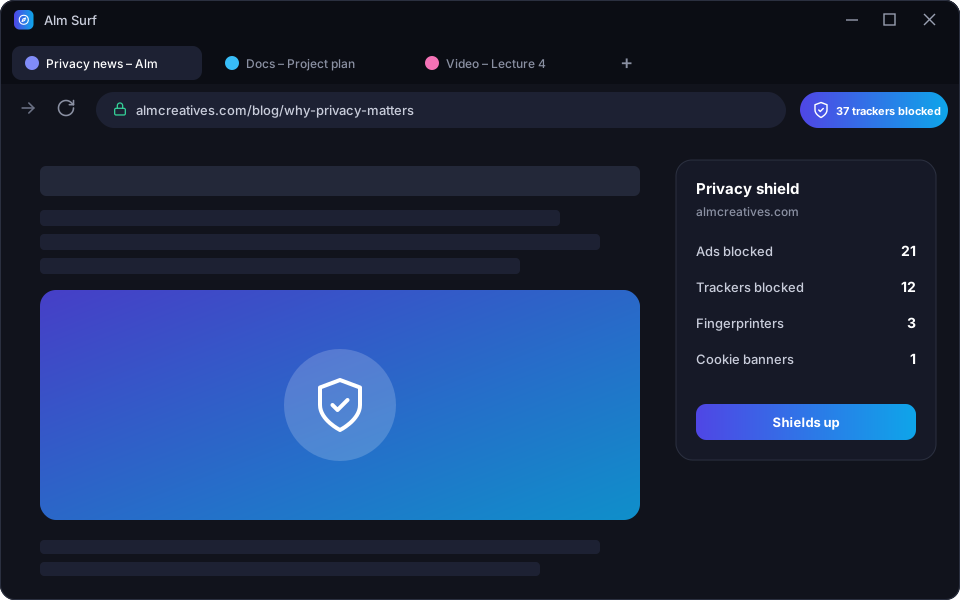
Alm Surf blocks ads, trackers, fingerprinting scripts and cookie banners before they load, so pages open faster and nobody follows you around the web. Vertical tabs, split view, reader mode and a built-in download manager keep you productive on desktop, while the Android version brings the same protection to your phone. Bookmarks, passwords and tabs sync between devices with end-to-end encryption — not even we can read them.
Feature breakdown
Tracker & ad blocking
Blocks ads, trackers, cryptominers and fingerprinting out of the box.
Fast by design
Lightweight engine with smart tab sleeping to save memory and battery.
E2E encrypted sync
Sync tabs, bookmarks and passwords between Windows and Android with zero-knowledge encryption.
Private by default
HTTPS-only mode, DNS-over-HTTPS and one-tap clearing of site data.
Split view & vertical tabs
Work side by side and organise tabs in groups and workspaces.
Reader mode
Distraction-free reading with adjustable fonts and text-to-speech.
See it in action
Click a screen to enlarge it.
Specifications
- Platforms
- Windows 10/11 · Android 8+
- Engine
- Chromium-based
- Extensions
- Chrome Web Store compatible
- Licence
- Free · Premium features
Questions
Can I use Chrome extensions?
Yes, Alm Surf for Windows supports extensions from the Chrome Web Store.
Which search engine does it use?
You choose — privacy-respecting engines are offered by default.
Can I import my bookmarks?
Yes, from Chrome, Edge, Firefox and Opera in one click.
Get Alm Surf
Leave your email and we'll send you the download link and launch offers for Alm Surf. We only email about this app.
Reviews
Loading reviews…
Sign in or create an account to leave a review.
Please verify your email address before posting a review. This keeps reviews genuine.
More from Alm Creatives
 Productivity
Alm Download Manager
A premium Windows download manager that splits files into parallel streams, resumes anything, and never phones home.
 Photo editing
Alm Pixel
A powerful Android photo editor with RAW support, pro-grade adjustments and on-device AI — your photos never leave your phone.
 Video editing
Alm Vision
A multi-track Android video editor with 4K export, keyframes, transitions and captions — and no watermark in premium.